Skip to main content Skip to footer
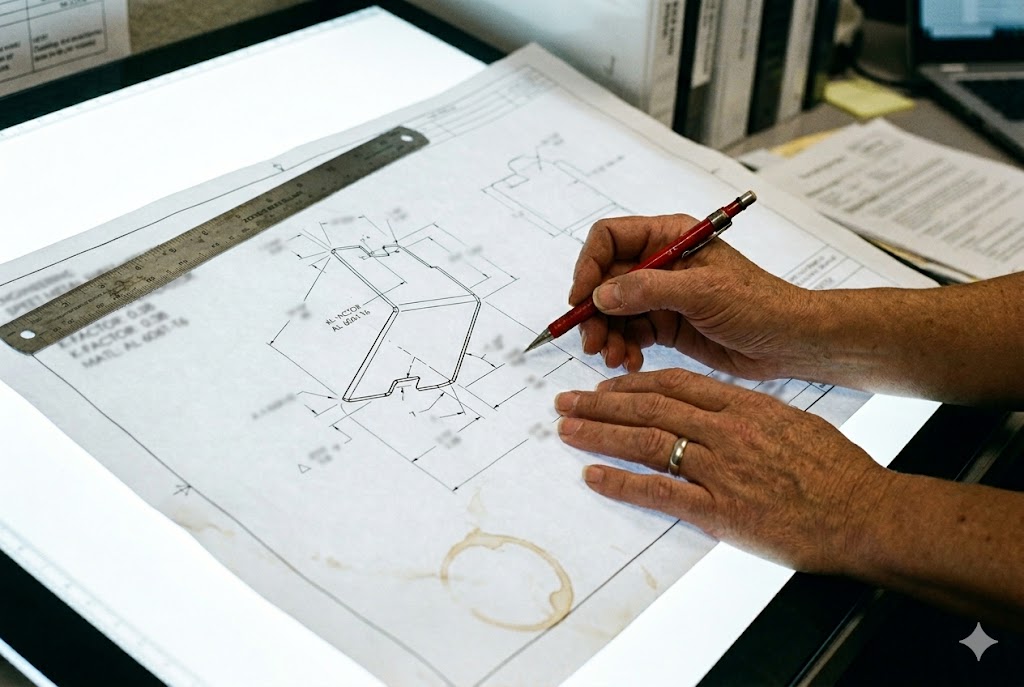
Every year, we see first articles come back wrong — not because the fabricator made a careless mistake, but because the drawing never told them the right inputs to begin with.
Bend allowance and spring-back compensation must appear explicitly on your sheet metal drawing. State your K-factor in the title block, choose either bend allowance or bend deduction as your flat pattern convention, and specify finished bend angles with explicit tolerances. Without these three elements, every fabricator you send your drawing to will substitute their own defaults — and your parts will be systematically off-dimension before a single sheet is cut.
If you are sourcing bent sheet metal parts from China or Vietnam, the stakes are even higher. Here is what your drawing package must include — and why each item matters.
Why Does Spring-Back Matter When I Source Bent Sheet Metal Parts from China?
Sourcing bent parts internationally adds a layer of risk that domestic buyers rarely think about until the first article fails inspection.
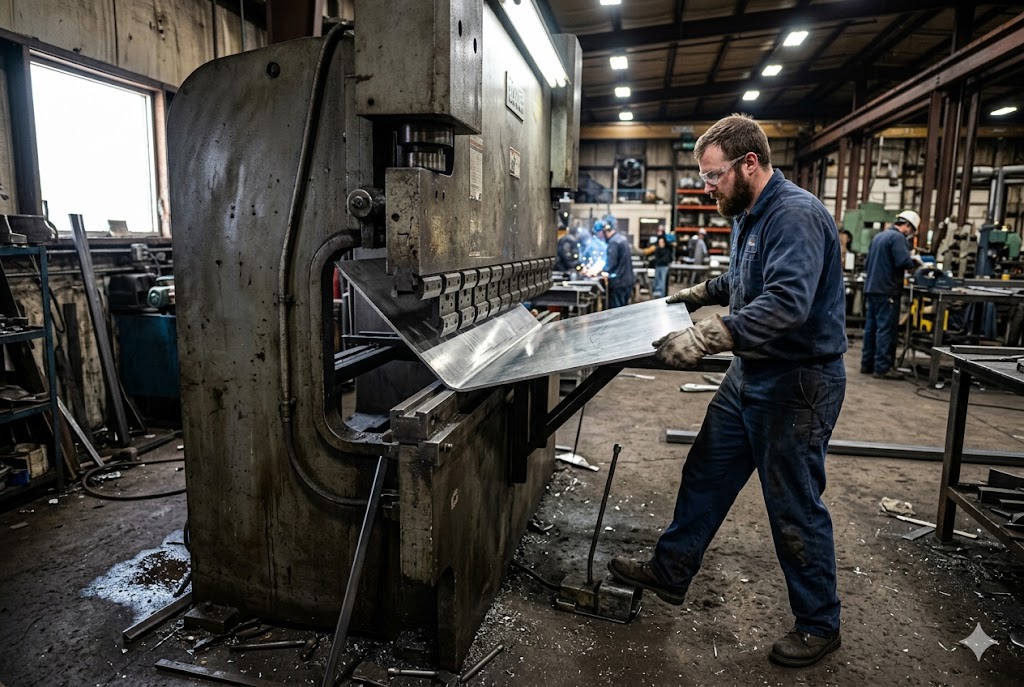
Spring-back is the elastic recovery a metal part makes after the press brake releases. For 304 stainless steel, that recovery is 6–8° at a 90° bend. For mild steel it is 2–3°. Chinese fabricators compensate by overbending, but only if your drawing tells them the finished angle, not the tooling angle. If your drawing is ambiguous, each factory will handle spring-back differently, and your results will be inconsistent from order to order.
Springback compensation 1 in metal forming is realized by overbending the material by an amount corresponding to the magnitude of the elastic recovery. Without a stated finished angle and tolerance on the drawing, there is no objective pass/fail standard that any inspector can apply.
Why the Alloy Matters More Than People Expect
Spring-back is not a fixed number. It changes with every material. In our experience quoting and reviewing drawings from customers across North America, most buyers list the material grade correctly but never state a spring-back expectation or a finished angle tolerance. They assume the fabricator will figure it out. That assumption is expensive.
Here is a simple reference table for typical spring-back at 90° bends:
| Material | Typical Spring-Back at 90° |
|---|---|
| Mild Steel (S235/A36) | 2–3° |
| Structural Steel (S355) | 3–5° |
| 304/316 Stainless Steel 2 | 6–8° |
| Duplex Stainless Steel | 8–12° |
| Aluminium 5052-H32 | 4–6° |
The Inspectable Dimension Is the Finished Angle
This is a simple rule, but it is broken constantly. Your drawing must show the finished post-springback angle as the dimension the QC inspector measures. Not the tooling angle. Not the press brake set angle. The finished angle.
If you write 90° on your drawing with a tolerance of ±1°, the fabricator knows: after the part comes off the machine and springs back, it must read between 89° and 91° when measured. They will compensate their tooling accordingly. If you leave the angle untoleranced, ISO 2768 angular tolerances apply — and for short legs, those tolerances are wide enough to cause real assembly problems.
What Happens When Spring-Back Is Left to the Supplier's Judgment
When we conduct factory audits for clients sourcing sheet metal parts from China, we ask one standard question: "How do you compensate for spring-back on this material?" The answers vary enormously — some shops overbend empirically based on operator experience, some use press brake 3 CNC compensation functions, and some simply run a trial bend and adjust. None of those methods is wrong, but without a stated finished angle and tolerance on the drawing, there is no objective pass/fail standard. The part looks close enough visually, ships, and fails your incoming inspection.
State the finished angle. State the tolerance. Remove the ambiguity.
How Can I Reduce Dimensional Errors Caused by Inaccurate Bend Calculations?
Our engineers have found that the single biggest source of dimensional error on bent sheet metal parts is not the press brake operator — it is the flat pattern.
Dimensional errors caused by bend calculations almost always trace back to one of three root causes: an incorrect K-factor, a mismatch between the drawing's inside radius callout and the supplier's actual tooling, or a flat pattern derived from a different convention than the one the fabricator is using. Fixing all three before production starts reduces first-article failures dramatically.
K-Factor: The Number Your Drawing Cannot Omit
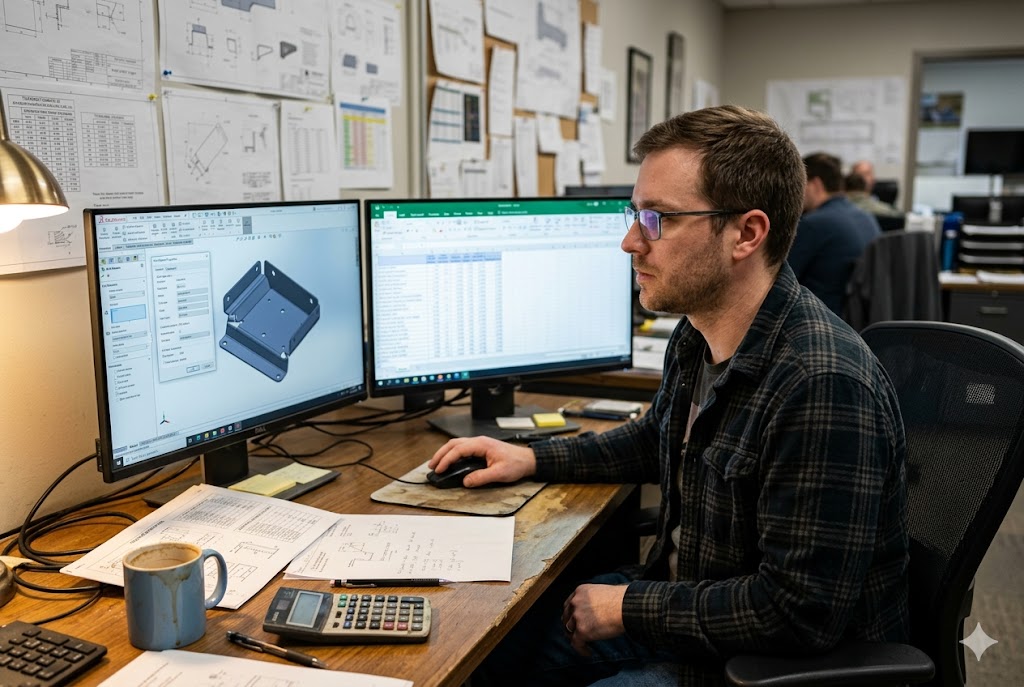
The K-factor 4 is the ratio of the neutral axis position to the material thickness. It is the single number your CAD system uses to unfold a 3D model into a flat blank. If the fabricator's CAD system uses a different K-factor than yours, the blank they cut will be a different size than the blank your drawing expects — and every finished dimension downstream will be off.
Most CAD systems default to K = 0.5 when no value is specified. That is a reasonable approximation for thick mild steel in bottom bending. It is not accurate for 1.5 mm stainless in air bending. State your K-factor explicitly in the title block or a general notes field. One line of text prevents hours of rework.
| Bending Method | Typical K-Factor Range |
|---|---|
| Air Bending (mild steel) | 0.44–0.50 |
| Air Bending (stainless 304) | 0.48–0.55 |
| Bottom Bending | 0.38–0.44 |
| Coining | 0.33–0.40 |
These are starting points. The only reliable K-factor for production is one you derive empirically from your supplier's actual tooling and material.
The Die Opening Controls the Inside Radius
Here is a relationship that surprises many buyers: in air bending 5, the supplier's V-die opening determines the inside bend radius the part will have — not the punch tip radius. The rule is:
Inside radius ≈ die opening ÷ 6
If your drawing calls for a 1.0 mm inside radius but the supplier's nearest die produces 1.6 mm, the flat pattern derived from your K-factor will be wrong. The blank comes out the right size for a 1.0 mm radius part, but the actual part bends to a 1.6 mm radius — and every leg length shifts.
Confirm the supplier's available die set during DFM review. Align your inside radius callouts to their tooling inventory. This one step eliminates the most common source of first-article dimensional failure on China-sourced sheet metal.
Empirical K-Factor: The Right Procedure
Generic table values are a starting point. Production accuracy requires an empirical K-factor derived from your specific combination of material, tooling, and bending method. The procedure is straightforward:
- Bend test coupons from the actual production material on the actual production tooling.
- Measure the formed part carefully — the leg lengths and the included angle.
- Back-calculate the actual K-factor from the measured dimensions.
- Record the K-factor alongside the die width, punch radius, and press capacity in a fabrication parameter sheet.
- Attach this sheet to the drawing package for every production run.
When material supplier, temper, or tooling changes, repeat the procedure. Do not assume the K-factor is stable across sourcing changes.
What Drawing Details Help My Supplier Control Bend Angles More Accurately?
When we review drawing packages before issuing them to suppliers, the missing details are almost always the same.
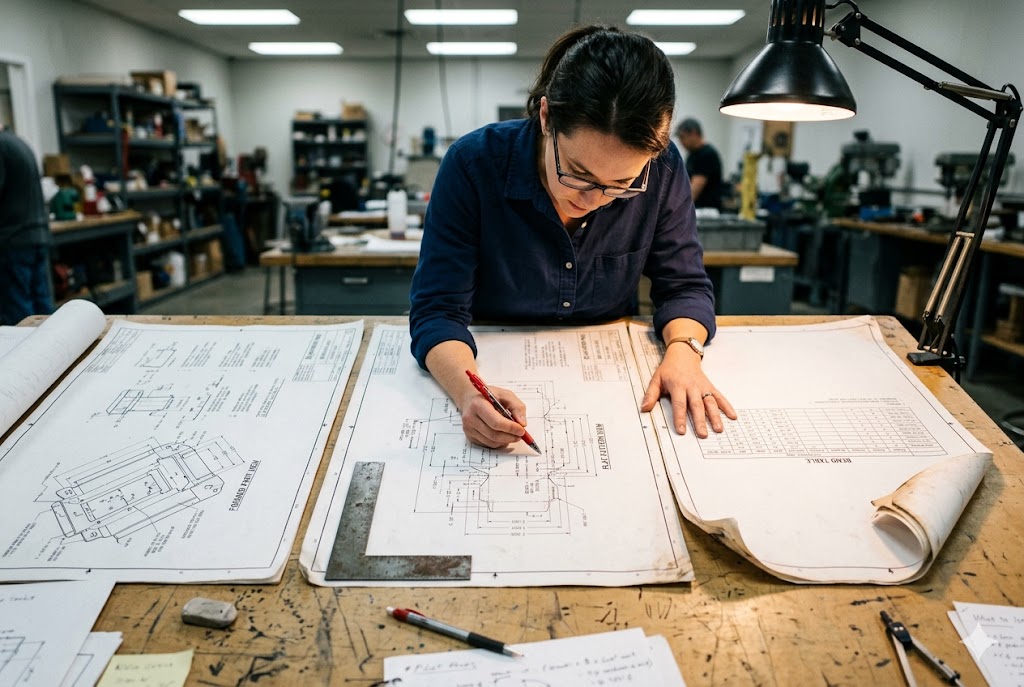
To give your supplier full control over bend angle accuracy, your drawing package should include three elements: a formed part view with finished angles and inside radii as inspectable callouts, a flat pattern view with blank dimensions and bend lines, and a bend table that lists every bend line with its angle, direction, inside radius, K-factor, and the resulting bend allowance or bend deduction. Together these three elements remove every ambiguity a fabricator can use to justify a non-conforming part.
The Three Views Your Drawing Package Needs
Most buyers send a single formed part view. That is not enough. A complete drawing package for a bent sheet metal part contains three distinct representations:
Formed part view: Shows the finished part with all dimensions, bend angles (with tolerances), inside radii, and datum references. This is what your QC inspector measures.
Flat pattern view: Shows the blank before bending — blank dimensions, bend lines, hole-to-bend-line clearances, and any pre-punch features. This is what the laser operator cuts.
Bend table: Tabulates every bend by ID number with its angle, direction (up/down), inside radius, K-factor used, and the resulting BA or BD value. This is what the press brake operator programs from.
Without the bend table, the press brake operator reprograms from their own K-factor assumption. They may do it correctly. They may not. The bend table removes that variable entirely.
Specify Bend Angle Tolerances Explicitly
The ISO 2768-1 6 general tolerance standard does not govern bend angle tolerances for sheet metal forming. If your drawing carries a general ISO 2768-mK tolerance block and no explicit bend angle tolerance, the angular tolerance from that standard applies — and for legs shorter than 10 mm, it permits ±1° which accumulates badly across multiple bends.
Add a drawing note: ALL BEND ANGLES ±1° (or tighter for critical interfaces). This single line gives both the fabricator and your incoming QC team an unambiguous acceptance criterion.
Bend Allowance vs. Bend Deduction: Choose One and State It
These two conventions express the same physical reality but they calculate differently. As explained in the sheet metal fabrication design guide 7, bend allowance accounts for the length of the neutral axis in the bend region, while bend deduction subtracts a value from the outside mold line dimension:
| Convention | What It Does | When to Use It |
|---|---|---|
| Bend Allowance (BA) | Adds neutral axis arc length to leg lengths | Drawing dimensioned from inside surfaces |
| Bend Deduction (BD) | Subtracts a value from outside mold line dimensions | Drawing dimensioned from outside faces |
A fabricator who assumes the wrong convention cuts blanks that are systematically short or long on every part. State which convention your flat pattern uses. One sentence in the general notes block prevents a full batch rejection.
Tolerance Stack-Up Across Multiple Bends
On a part with four 90° bends, an uncontrolled ±0.3 mm positional variation per bend accumulates to ±1.2 mm at the last feature. That is outside what most assemblies tolerate. Address this at the drawing stage:
- Specify datums and datum references clearly.
- Assign tighter individual tolerances to features that accumulate.
- Perform a worst-case stack-up analysis before issuing the drawing to any supplier.
Multi-bend parts require this analysis. Single-bend parts do not. Know which type you have.
Should I Ask My Supplier to Confirm the Flat Pattern Before Production Starts?
Every experienced purchasing manager we work with has learned this lesson — some the hard way.
Yes. Always require your supplier to submit the flat pattern DXF and the bend table for your approval before cutting production blanks. This one checkpoint catches K-factor mismatches, die opening conflicts, and flat pattern convention errors before they become a batch of scrap. For first articles and new tooling, this approval step is not optional — it is the earliest and cheapest point at which you can stop a dimensional problem.

Why the DXF Catches Problems the Drawing Review Misses
A drawing review tells you whether the supplier read your drawing. A DXF review tells you what they are actually going to cut. These are different things.
When the supplier generates the flat pattern DXF 8 from their CAD system using their K-factor, their die opening, and their bend table convention, the output is the exact blank their laser will cut. If their K-factor differs from yours by 0.05 on a 2 mm material with a 50 mm leg, the flat length shifts by about 0.5 mm. Across four bends, that is 2 mm of accumulated blank error — before a single part is formed.
Reviewing the DXF takes ten minutes. Scrapping a batch takes weeks.
The Fabrication Parameter Sheet
For any repeat production item, we recommend maintaining a fabrication parameter sheet that travels with the drawing package. This sheet records:
- Material grade and supplier
- Material thickness and temper
- V-die width used
- Punch tip radius used
- Press brake capacity
- Empirically measured K-factor
- Resulting BA or BD values per bend
- Date of last calibration bend
When a supplier changes their die set or sources material from a different mill, the parameter sheet forces them to flag the change rather than silently absorb it. This is especially important for China-sourced production where sub-supplier changes are common and not always communicated.
CAD System Pitfalls: Hard-Code Your K-Factor
One technical detail matters more than it appears. When your CAD model drives the flat pattern, enter your empirically validated K-factor directly into the sheet metal feature parameters — not through a gauge table or library entry.
CAD gauge tables contain hidden equations. When a legacy file is opened in a newer software version or on a different workstation, those equations can silently recalculate. The flat pattern shifts. The DXF exported to the laser cutter no longer matches the dimensions on your printed drawing.
A hard-coded K-factor in the sheet metal feature parameters is immune to this. It is the same number every time, on every revision, in every CAD environment. For documents that will be used in production for years, this discipline pays for itself the first time a software upgrade is installed.
What to Check When You Review the Supplier's DXF
When the supplier submits the flat pattern DXF, check these four things:
- Blank outer dimensions — do they match your flat pattern view dimensions within tolerance?
- Bend line positions — do they match the K-factor stated on your drawing, not a default?
- Hole-to-bend-line clearances — are any holes too close to a bend line (typically less than 2× material thickness + radius)?
- Bend table agreement — does the supplier's stated BA or BD per bend match your drawing's bend table values?
Understanding how springback and springforward interact 9 during different bending methods is essential context when reviewing a supplier's DXF and bend table for accuracy.
If all four check out, approve and proceed. If any discrepancy appears, resolve it before cutting. The cost of a conversation is always lower than the cost of a rejected first article. The practices outlined in resources like Xometry's guide to avoiding out-of-spec angle bends 10 reinforce why the K-factor and neutral axis position must be agreed upon before blanks are cut.
Conclusion
Get the K-factor on the drawing. State the finished angle with a tolerance. Send three views, not one. Confirm the flat pattern DXF before cutting. These four steps remove the most common failure modes in China-sourced sheet metal production — before a single blank is cut.
Footnotes
1. Explains how springback compensation works in metal forming and why overbending is required. ↩︎
2. Material data for 304 stainless steel including mechanical properties that drive spring-back behaviour. ↩︎
3. Overview of press brake machine types, parameters, and CNC compensation systems. ↩︎
4. Definition and engineering significance of the K-factor in precision sheet metal bending. ↩︎
5. Technical analysis of bend allowance and springback values specifically in air bending. ↩︎
6. ISO 2768-1 standard page covering general linear and angular dimensional tolerances. ↩︎
7. Comprehensive sheet metal design guide covering K-factor, bend allowance, and flat pattern best practices. ↩︎
8. Autodesk Inventor guide to working with flat patterns and exporting DXF files for CNC laser cutting. ↩︎
9. The Fabricator's authoritative explanation of springback and springforward across bending methods. ↩︎
10. Xometry's practical guide to diagnosing and preventing out-of-spec bend angles in sheet metal. ↩︎